Sign in with your Google accountMasuk dengan akun Google Anda
Use the account you registered with. Your app is created inside your own Google Drive.
Gunakan akun yang Anda daftarkan. Aplikasi dibuat di dalam Google Drive Anda sendiri.
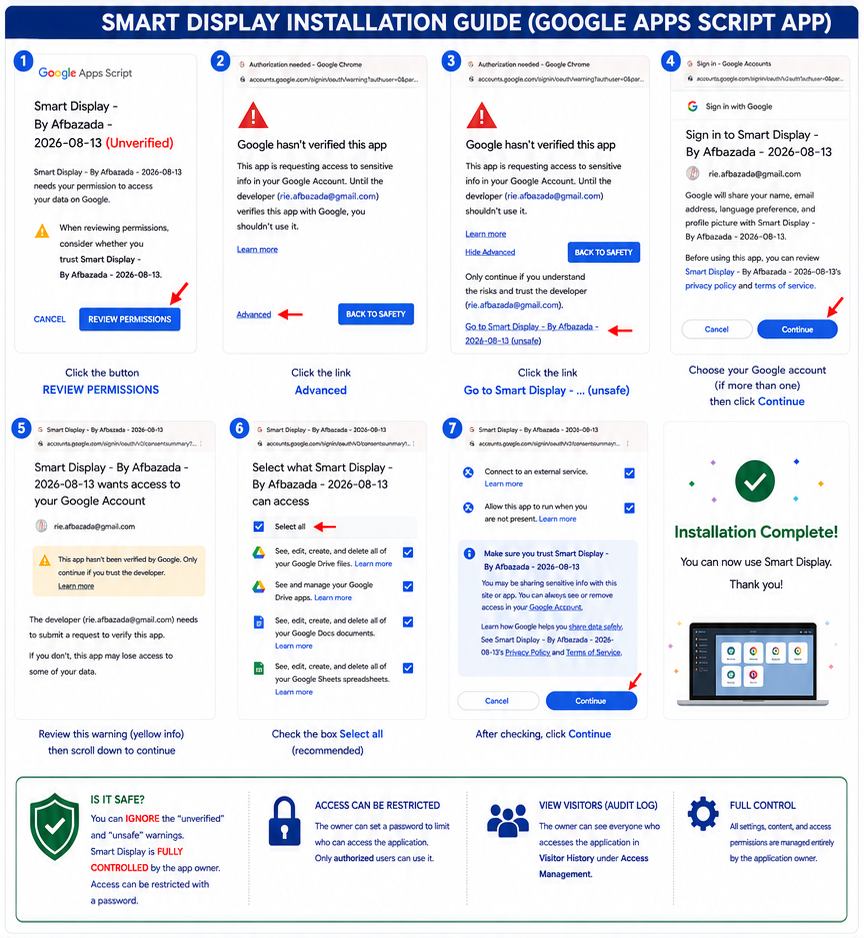
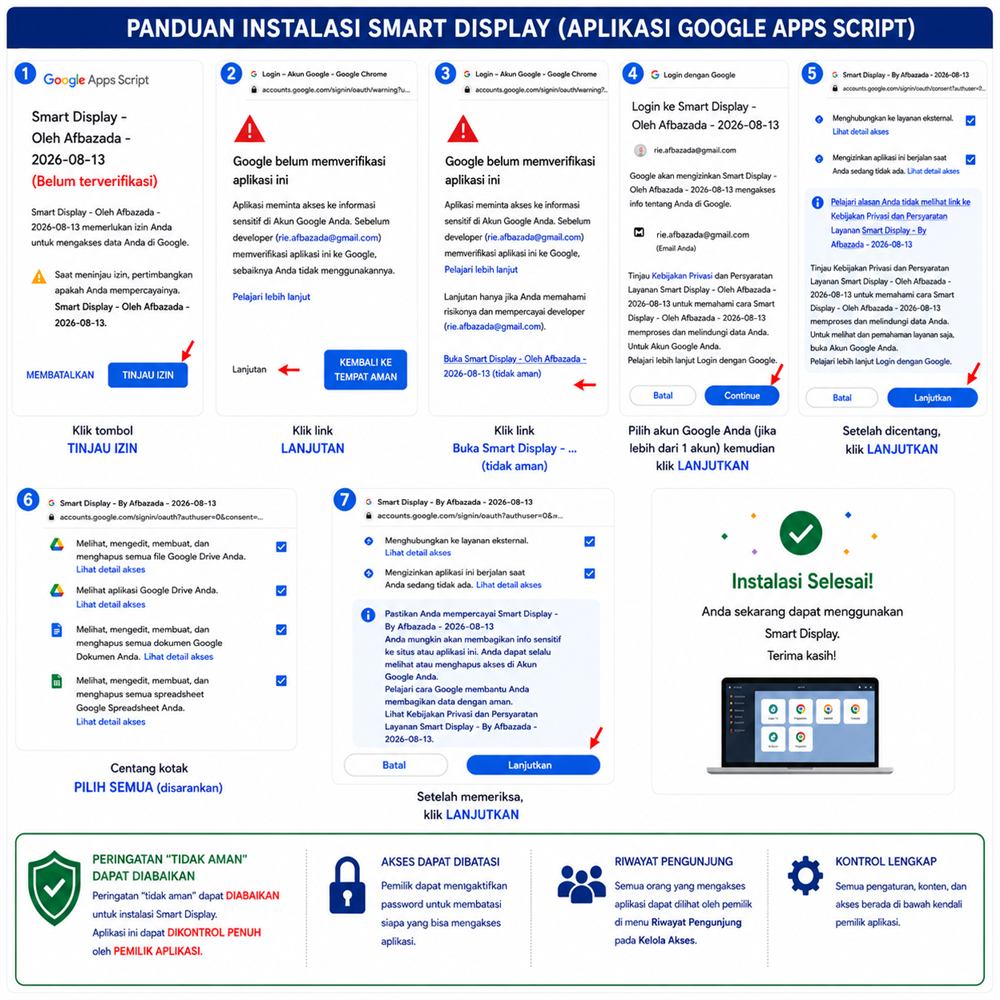
Google will show a screen saying it has not verified this app, because verification is
still in progress. Tap Advanced, then Go to install.smartdisplay.afbazada.com
to continue.
Google akan menampilkan layar bahwa aplikasi ini belum diverifikasi,
karena verifikasinya memang masih berjalan. Ketuk Lanjutan (Advanced), lalu
Buka install.smartdisplay.afbazada.com untuk melanjutkan.
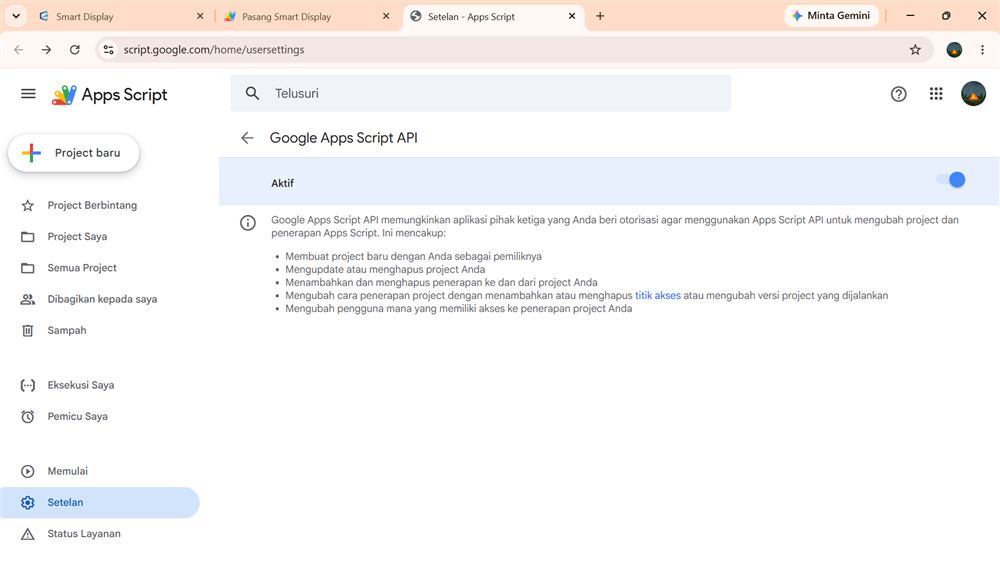
Turn on the Google Apps Script APIAktifkan Google Apps Script API
Once it is on, the app is ready to install.
Jika sudah diaktifkan, aplikasi siap dipasang.
…
0%
Connect your existing appHubungkan aplikasi Anda yang sudah ada
Your app is already installed, but this page does not know which Apps Script project it is yet. Paste its editor address once and updates will keep all your menus and files.Aplikasi Anda sudah terpasang, tetapi halaman ini belum tahu project Apps Script mana miliknya. Tempel alamat editornya sekali saja, dan pembaruan berikutnya akan mempertahankan seluruh menu dan berkas Anda.
Open drive.google.com, find the file named Smart Display, open it, then copy the address from your browser.Buka drive.google.com, cari berkas bernama Smart Display, buka, lalu salin alamat dari peramban Anda.
Your app URLNama URL Anda
Enter your subdomain name, for example “azza” — your URL becomes
azza.smartdisplay.afbazada.com. You can change it once.
Masukkan nama subdomain Anda, misalnya “azza” — URL Anda menjadi
azza.smartdisplay.afbazada.com. Dapat diganti satu kali.